Ed-Tech @ Applied Medical
Customizable Certification Programs
Empowering Instructors and Students with
IMPACT
The Certifications module within Applied Medical's Learning Management System is designed to offer robust tracking and management capabilities for assignments that contribute toward earning essential certificates. This platform is tailored to support doctors, nurses, and Applied employees on their journey in achieving educational goals and unlocking new skill sets in the medical device industry. This module saves $1.2 million annually by eliminating the need for a paid subscription to platforms like Cornerstone.
View PrototypeContents
Approach
Agile, Desktop Interface Design
Team
Product Manager, Full Stack Engineers, Business and Quality Analysts, Application Architect
PROBLEM
Challenges in tracking extensive datasets
Currently, certificates are manually tracked in an outdated system, which makes managing them increasingly challenging due to the large workforce and frequent expirations. This creates significant difficulties, especially during audits, highlighting the need for a more efficient certificate management solution.
SOLUTION
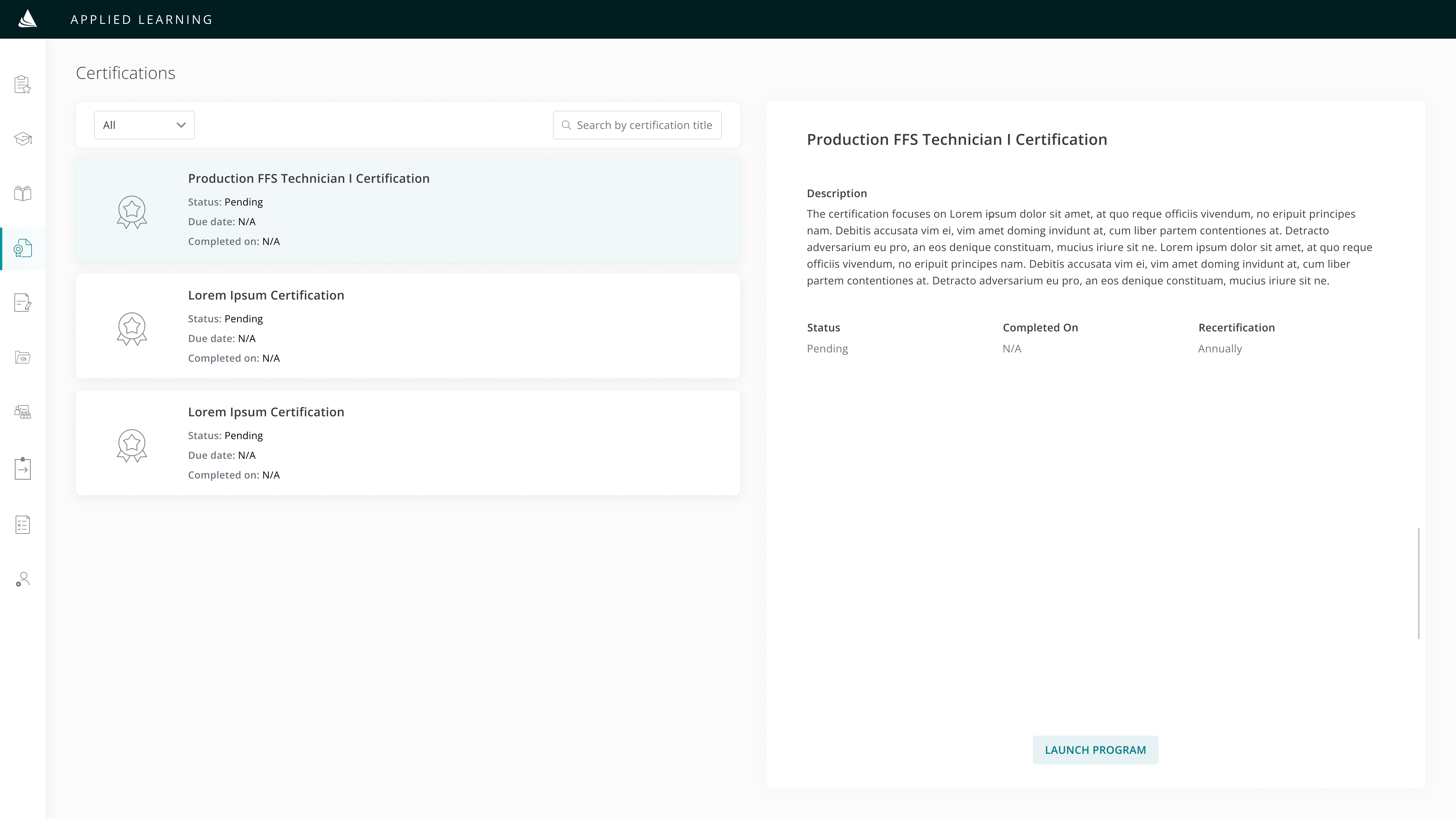
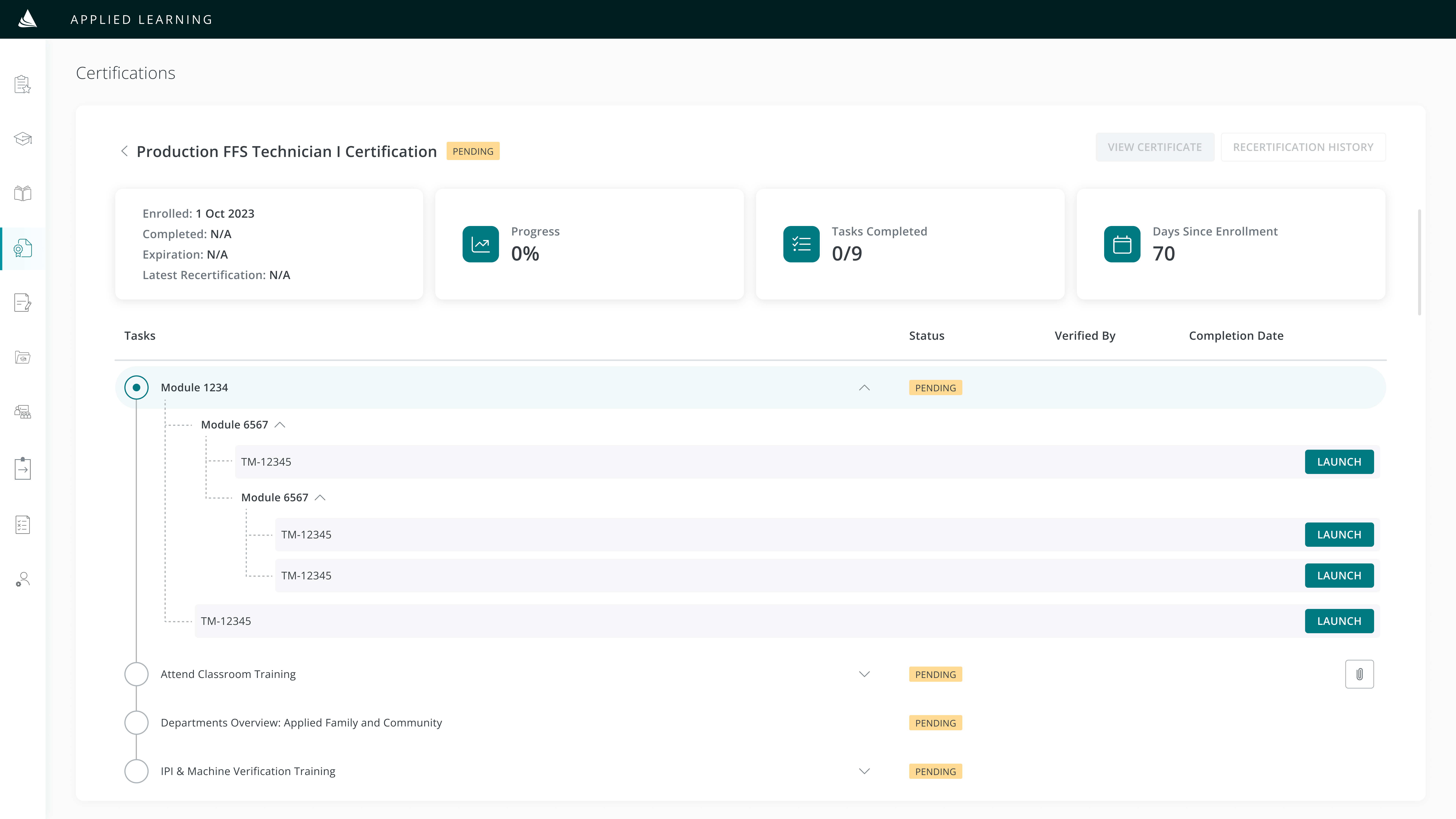
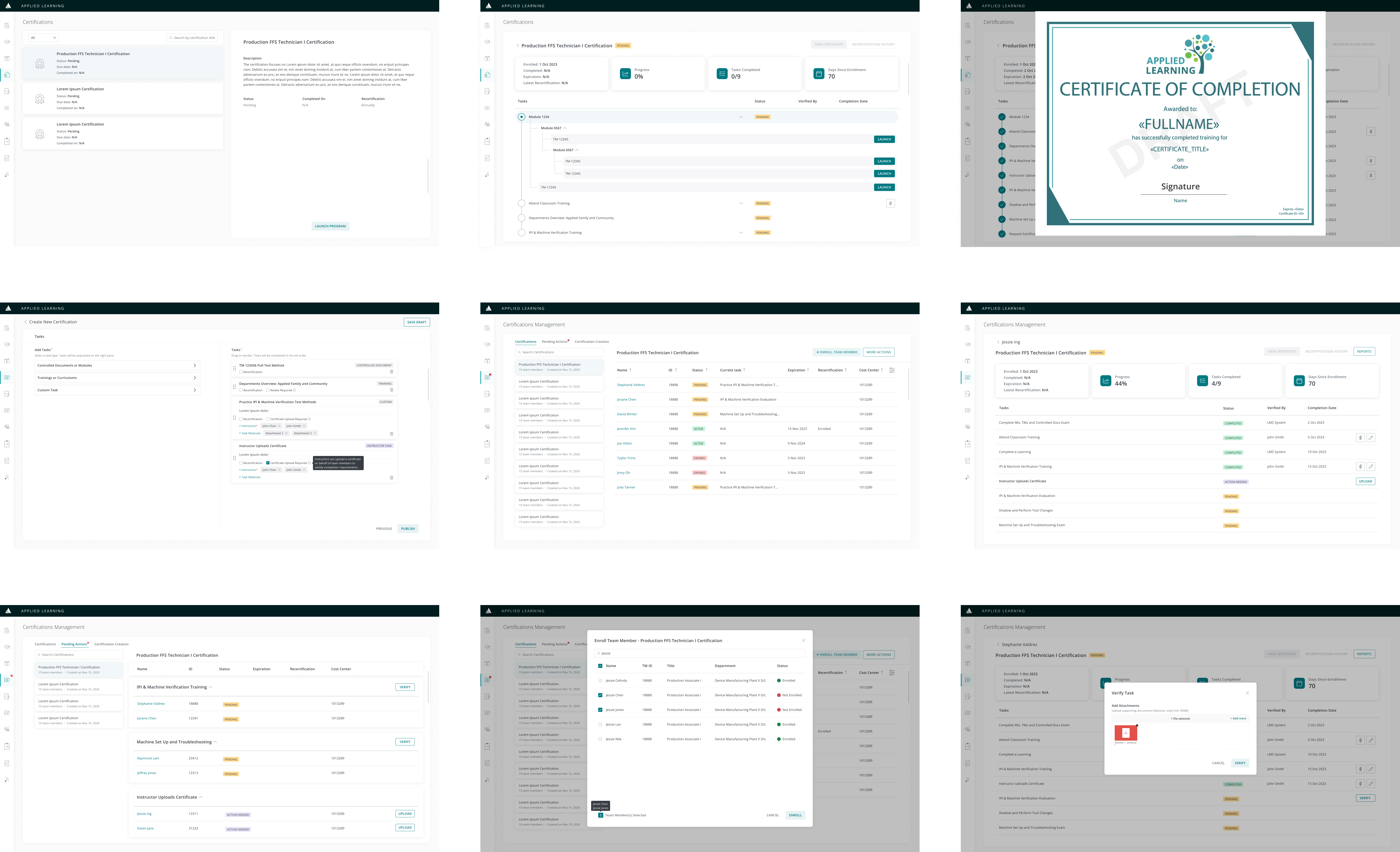
1. For the Student: Task list + progress statistics

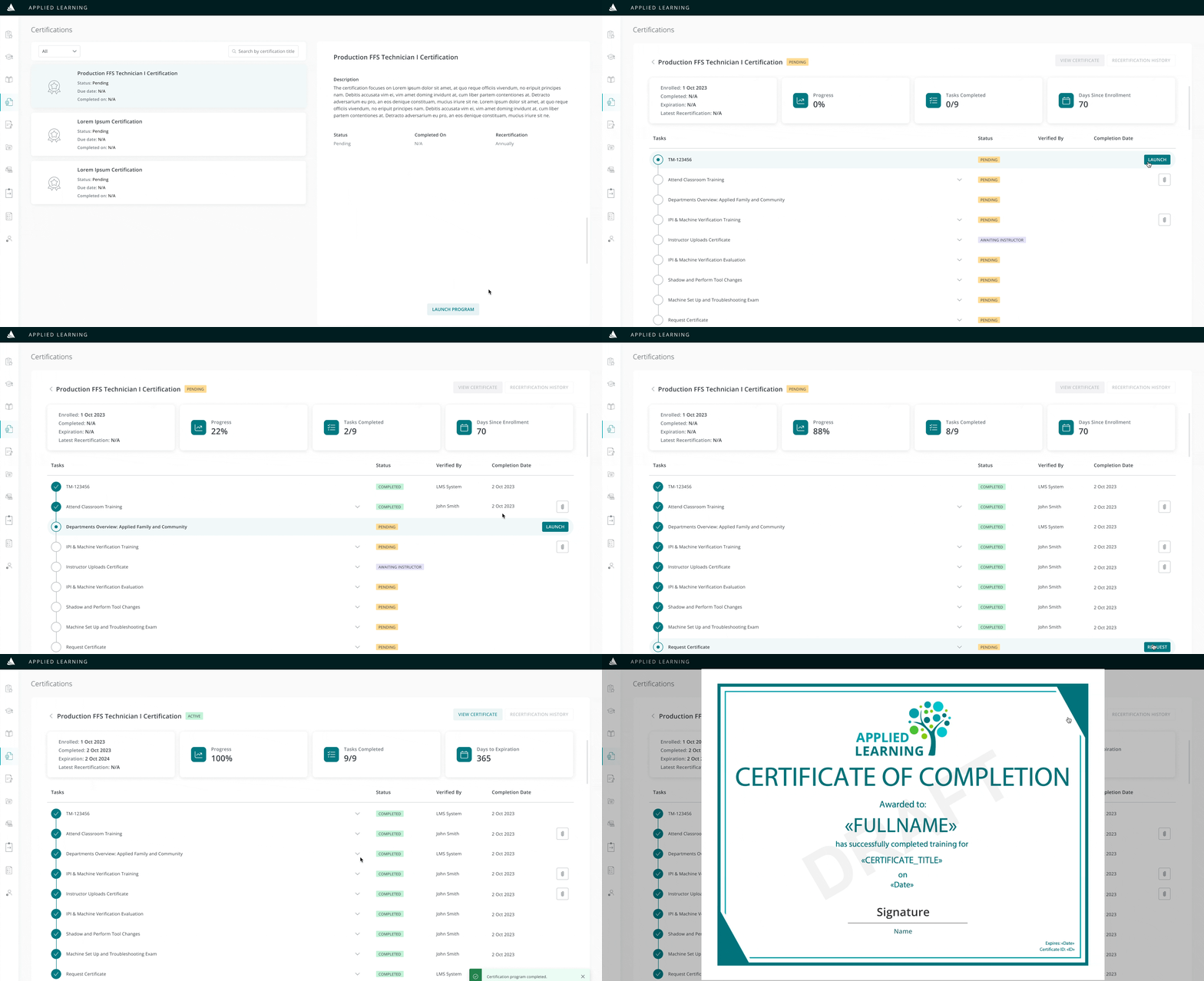
Students can complete tasks, track progress, and request a certificate
- Prepare ahead: View course materials ahead of time
- Clear direction: Rely on a step-by-step guide to completion
- Convenience: Eliminate the need for paper checklists
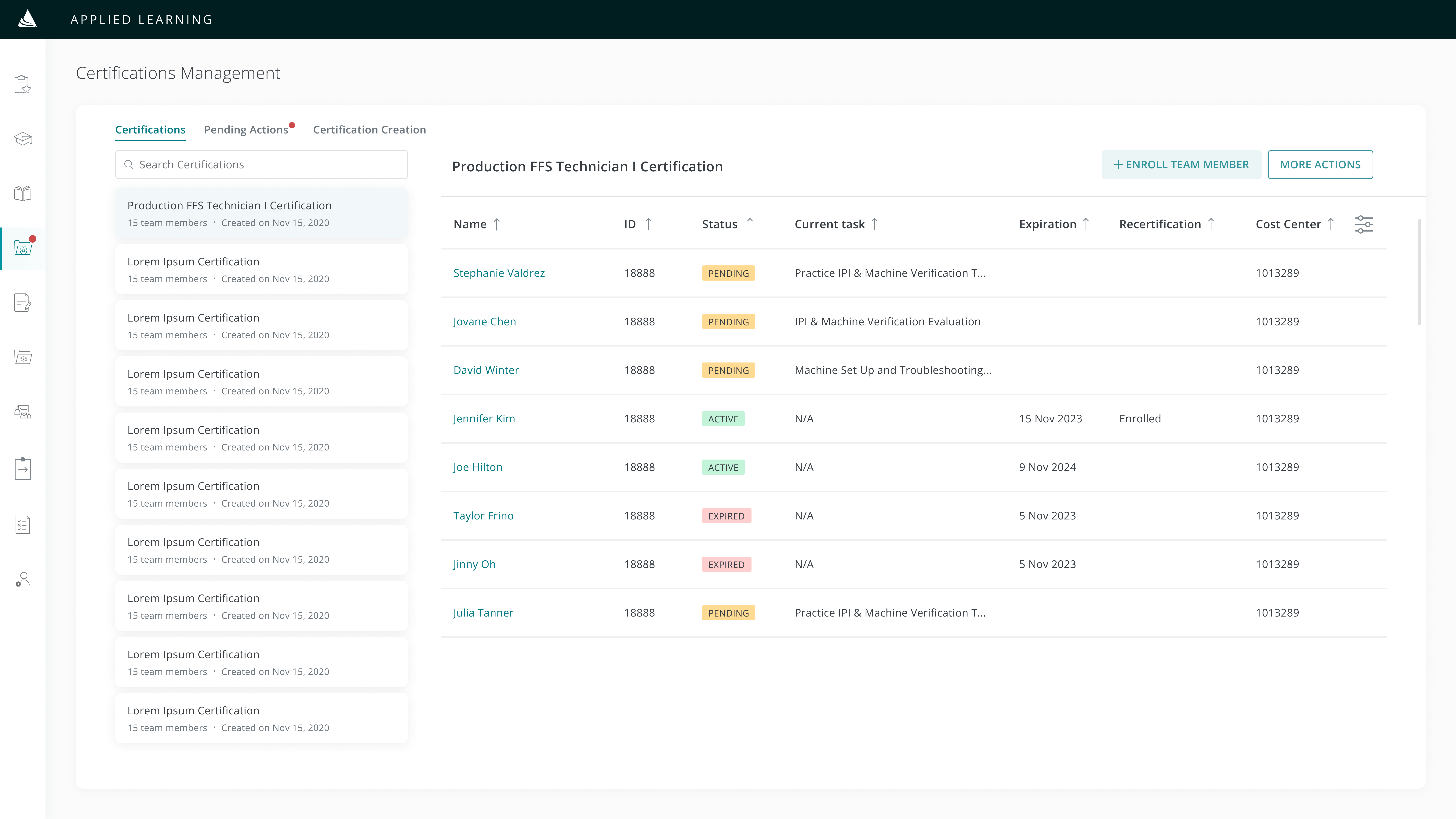
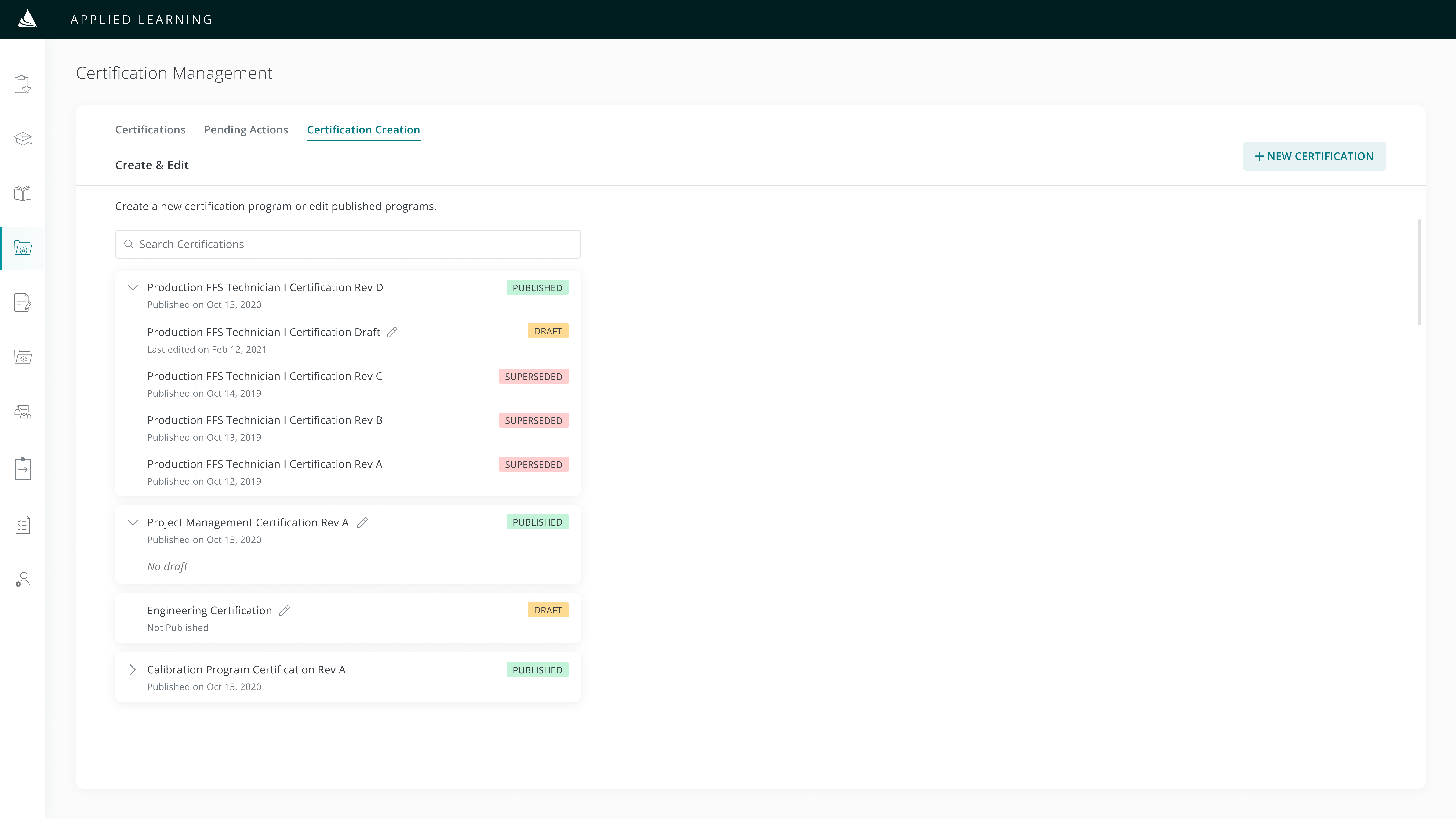
2. For the Admin: Create programs + manage tasks
.jpg)
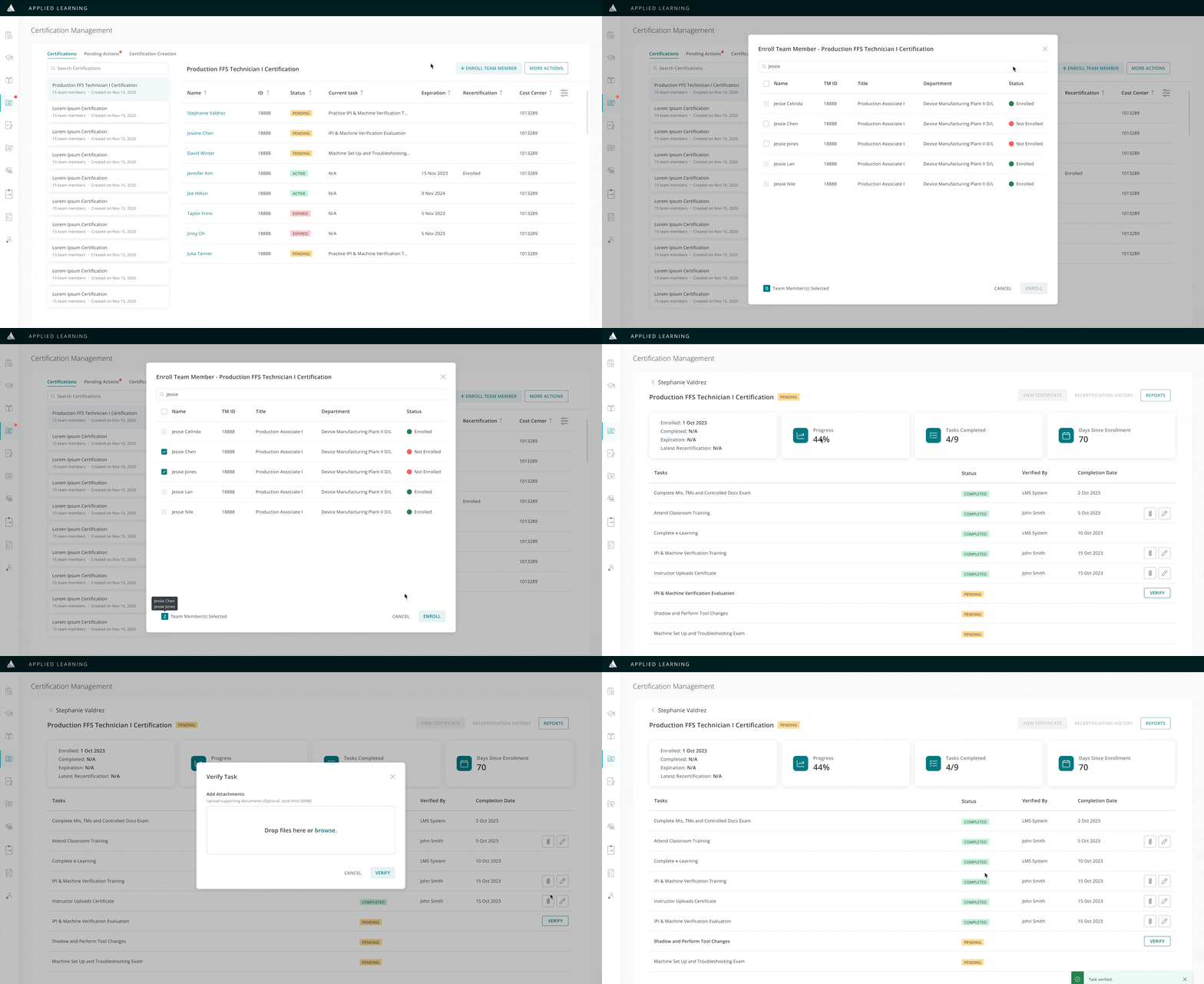
Admins can create programs, verify task completion, and track student progress
- Versatility: Create customizable certificate programs
- Efficiency: Electronic tasks verification in place of traditional methods
- Convenience: View student statuses in one place
PRODUCT
A Robust Certification Program

The Admin
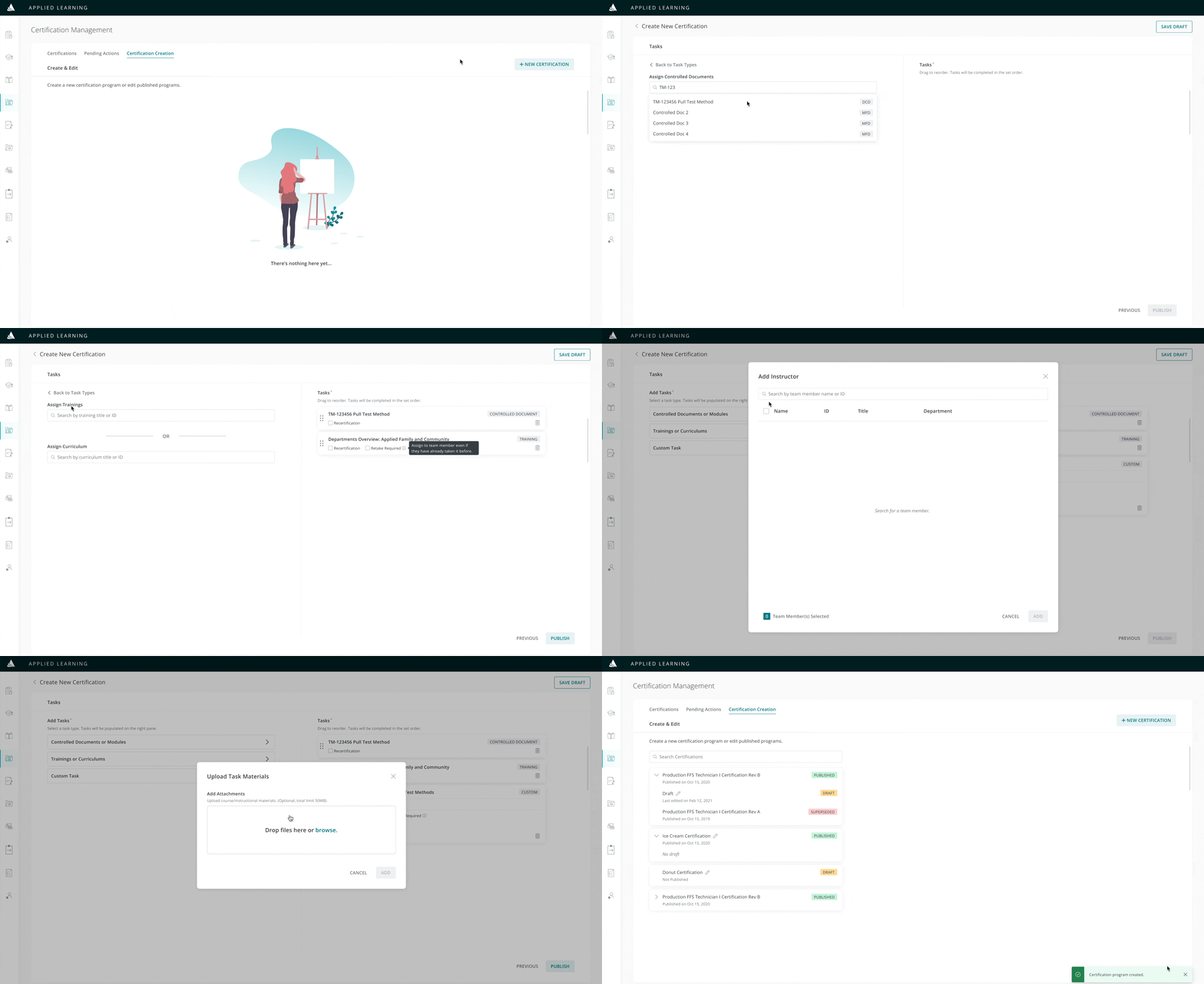
Create certification programs, add instructors, and upload course materials

The Instructor
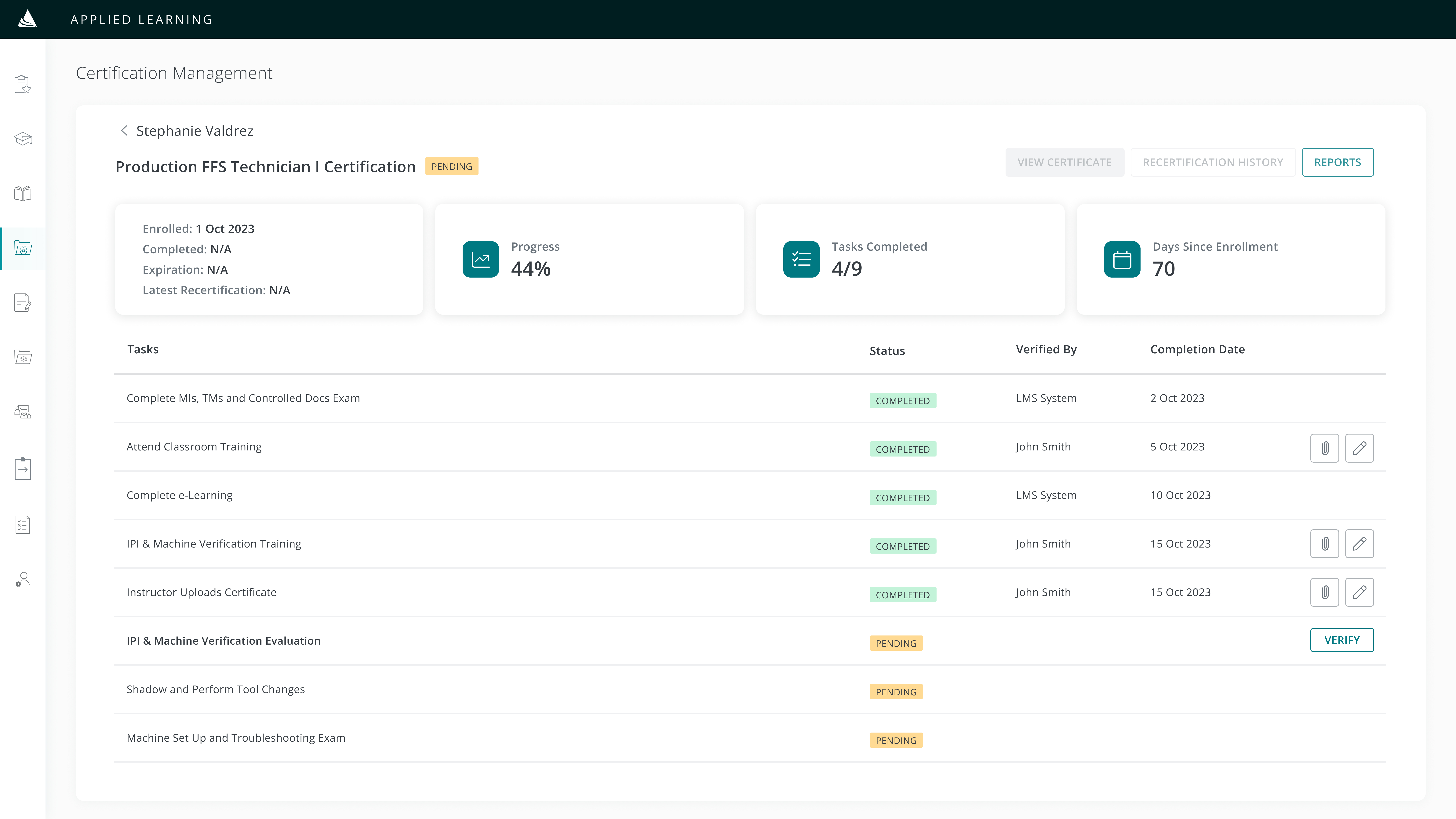
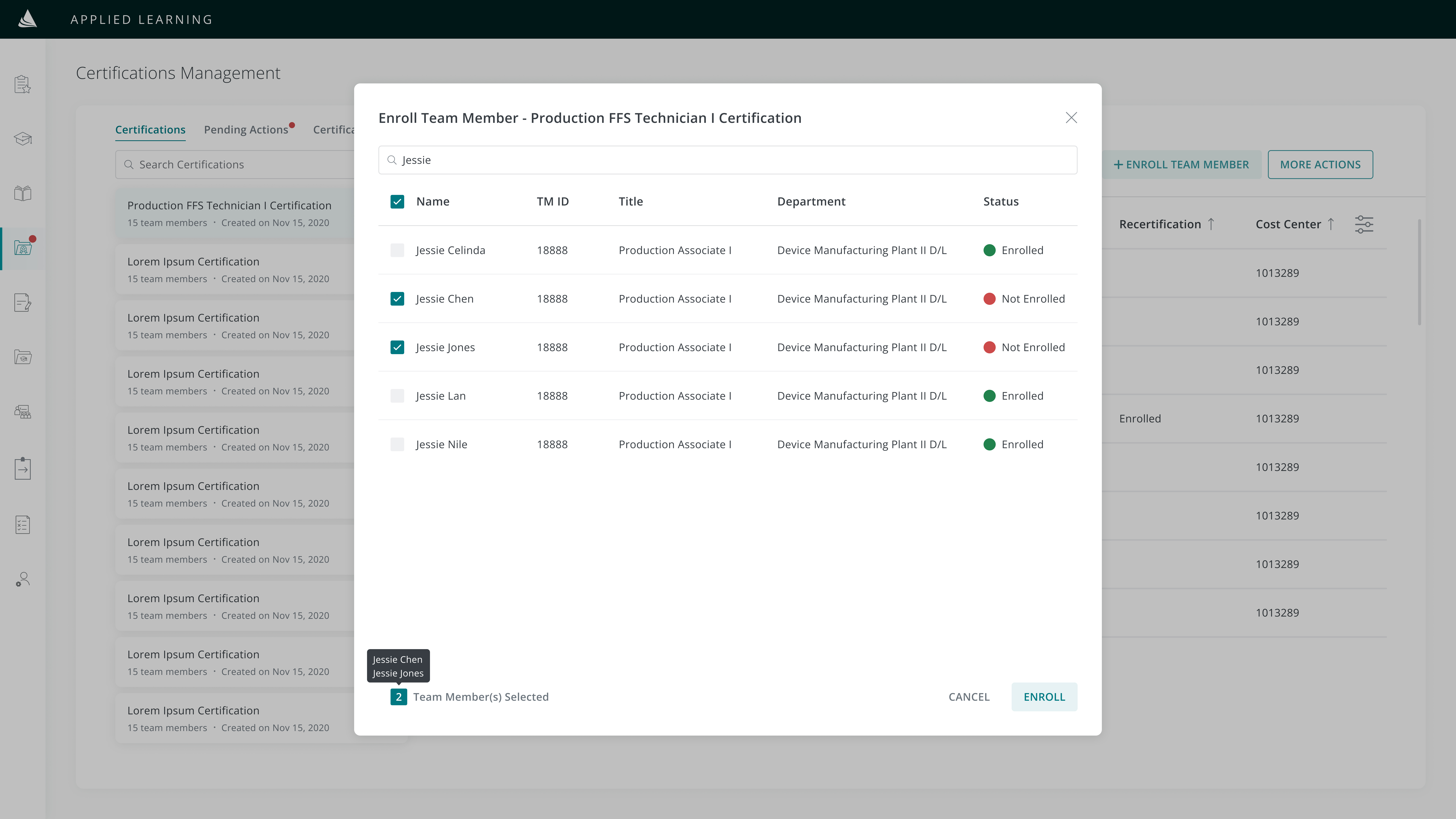
Enroll students, sign-off on tasks, and upload verification documents
The Student
Complete tasks, view course materials, and receive a certificate
HYPOTHESIS
The manual certification management system needs to be digitalized
The current process of tracking certification completion with paper checklists and Excel is quite tedious. Additionally, the recertification process may be overlooked due to the absence of a system for sending reminders. Implementing a digital platform to manage these tasks will enhance efficiency for both students and instructors in completing and verifying tasks.
EMPATHIZE & DISCOVER
The certification system will be more convenient if:
- Students don't have to track down instructors for task sign-offs
- Instructors can manage all certifications in one place
Before diving into design, I came up with some questions for the stakeholders and business analysts in order to fully understand their pain points and the problem I was solving for:
Interview Questions
- How are students preparing ahead for a task?
- How do students access their certificates?
- How are students notified to begin the recertification process?
- How do instructors currently sign off on tasks?
- How do admins keep track of active/expired certificates?
DEFINE
Defining the scope and design timeline
From the discovery phase, I was able to understand the current certification workflow and its associated challenges:
Main Challenges
Students cannot access course materials to prepare for their tasks
Students cannot reprint or access a digital copy of their certificate
Students often forget to renew their certificates
Instructors providing numerous handwritten signatures is tedious
Admins struggle to track certification expiration dates
In line with Agile methodology, I prioritized frequent stakeholder interaction and ensured their buy-in throughout the design process. I proposed regular working sessions with stakeholders to ensure that my designs align with the intended functionality and effectively address their pain points with the current workflow.
Short deadlines allowed me to analyze user feedback effectively to identify essential components for a new product. Outlined below is the outcome of my brainstorming session within the given time constraints.
IDEATE & DESIGN
Brainstorming new features
After identifying the stakeholders' challenges and considering the estimated timeframe, I developed several conceptual ideas for the potential new product's design and features. I assessed the key features to be designed and prioritized them based on urgency.
The MVP will include:
Certification Program Builder
- Assign tasks
- Add instructors
- Set expiration & email reminders
Management Dashboard
- Enroll new students
- Verify tasks & upload attachments
- Export student transcripts
Student Transcript
- View grades, progress & next steps
- Access course materials
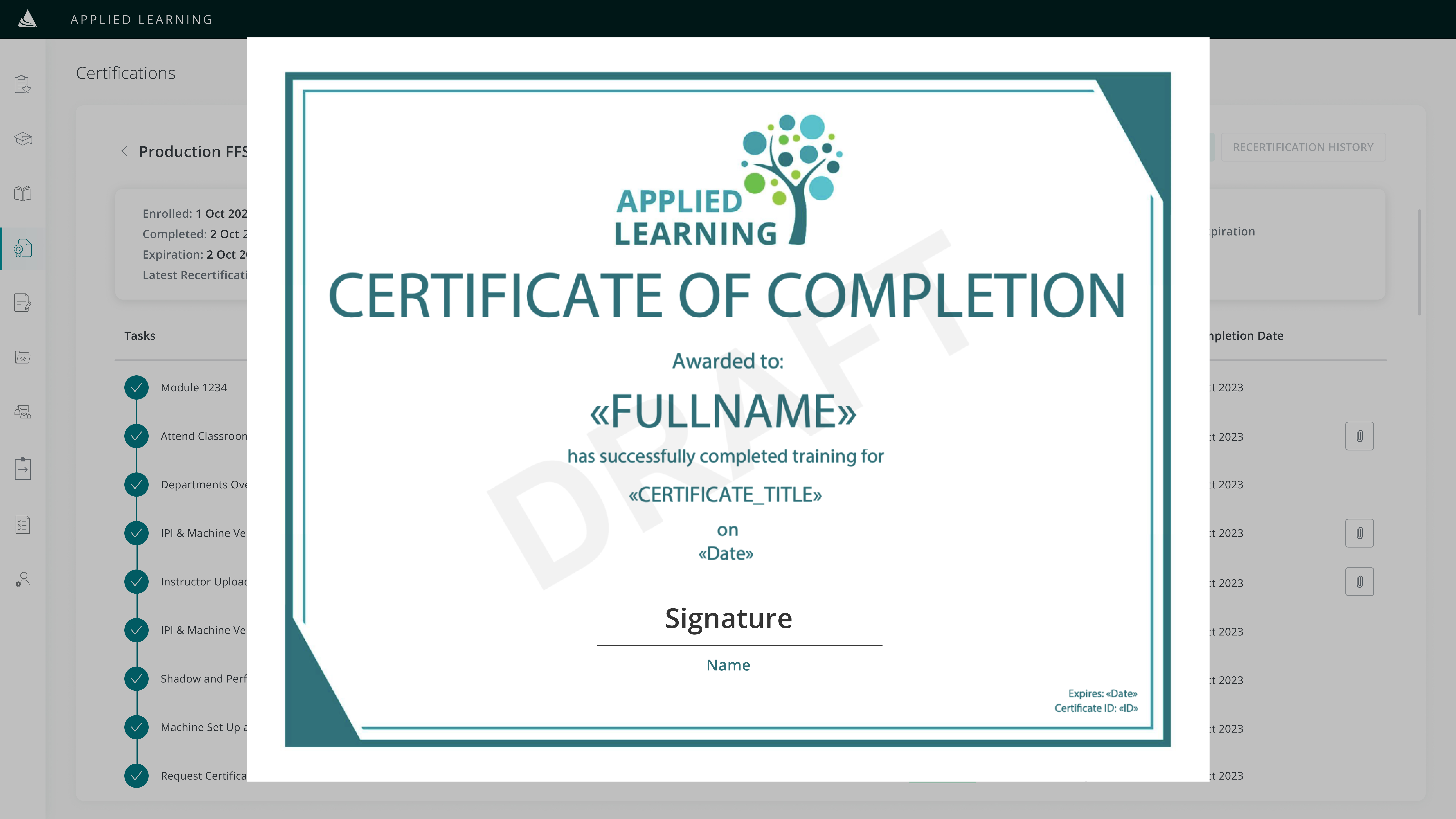
- View & download certificates
This new certification platform will be housed in the Learning Management System. Therefore, throughout the design process, I made sure to adhere to the existing branding guidelines of the LMS. Whenever a new component has to be built, I designed and styled them while making sure that it stays consistent and fits within the design system when introduced.
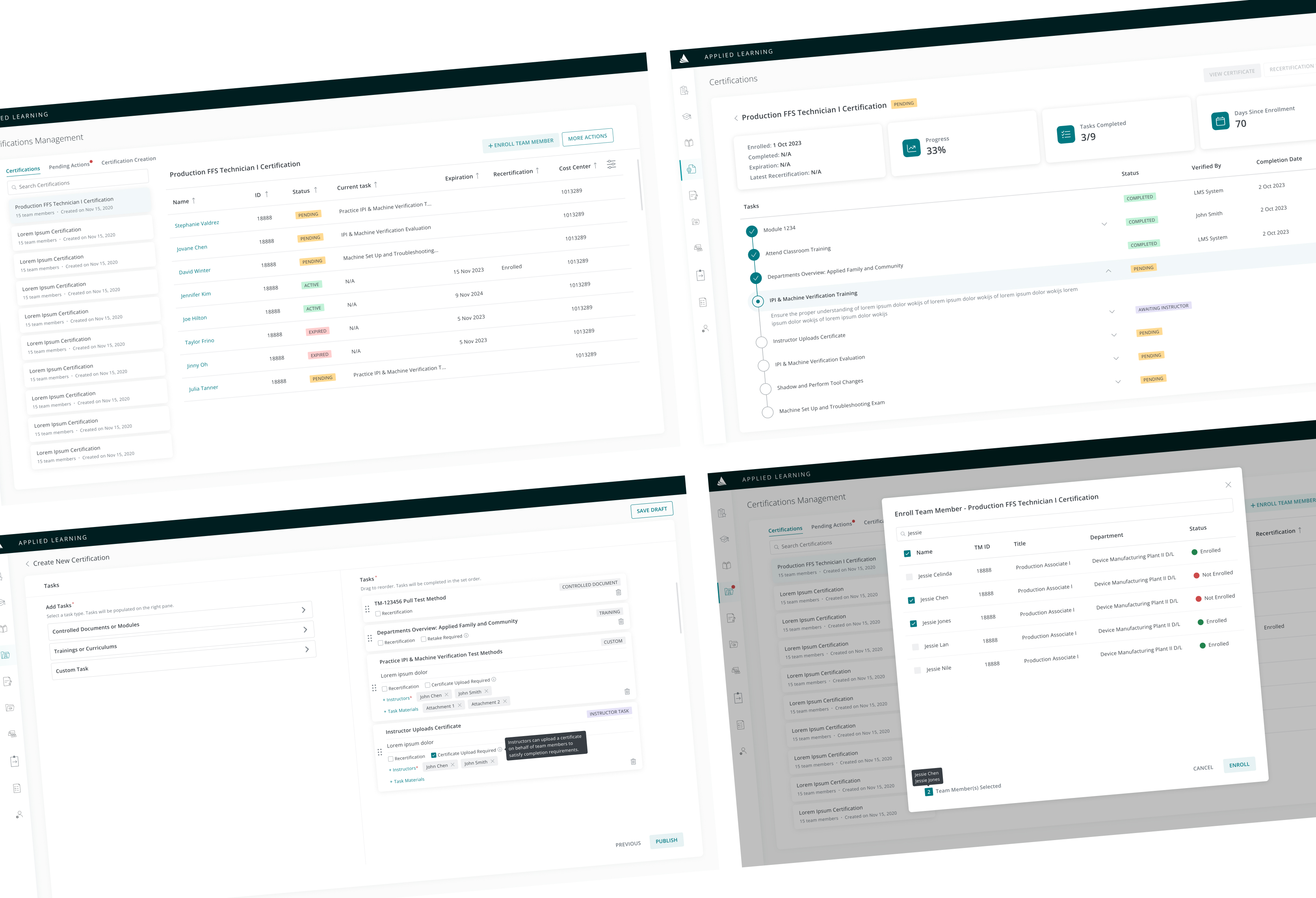
High-Fidelity Screens
Keeping the style guide in mind, I created a high-fidelity prototype on Figma for user testing and feedback.
The Prototype
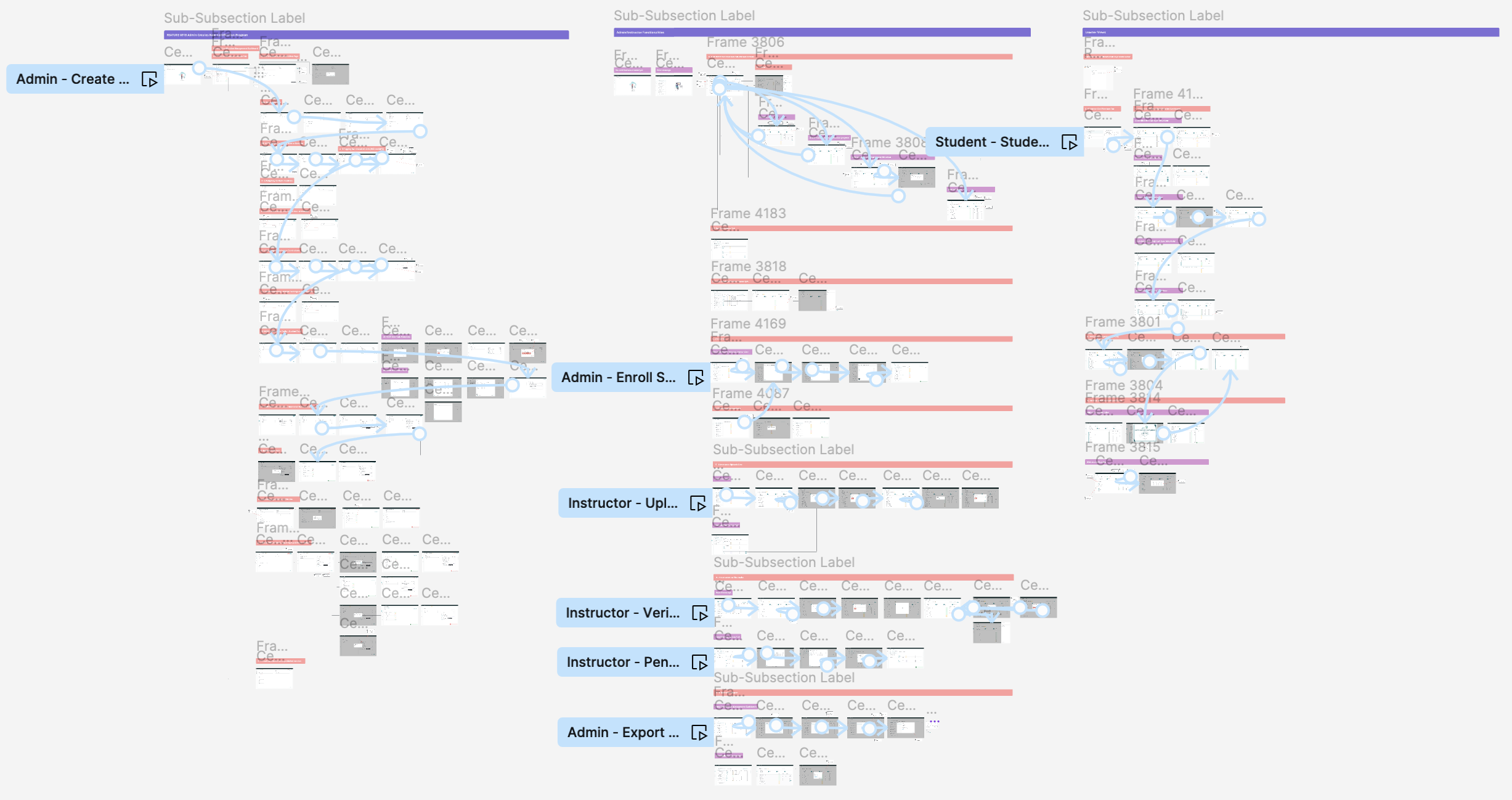
Link to interactive prototype
IMPROVEMENTS
Significant Design Improvements
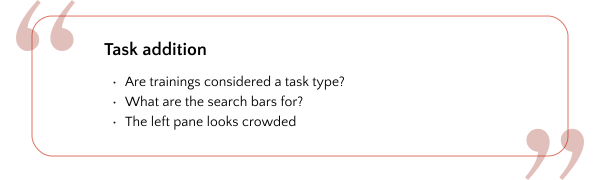
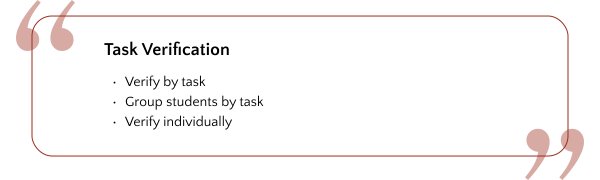
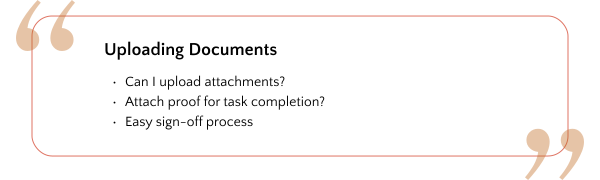
I presented my initial drafts to the team - software engineers, business analysts, project manager, and stakeholders to obtain feedback. I made improvements and iterated on my mockups based on frequent meetings. Here are some feedback and how my designs evolved based on them:
Main Feedback:
Major Improvements
First.
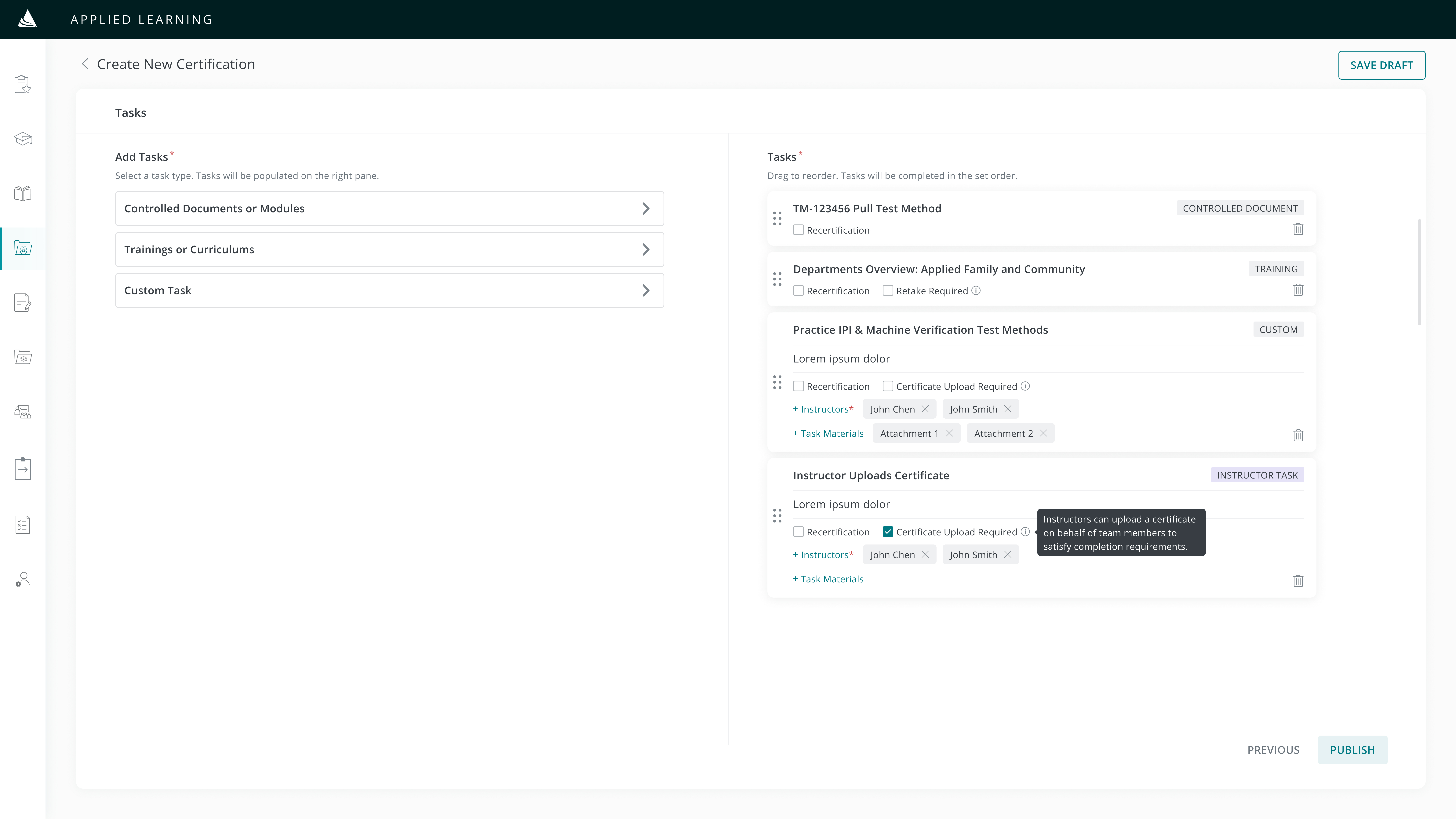
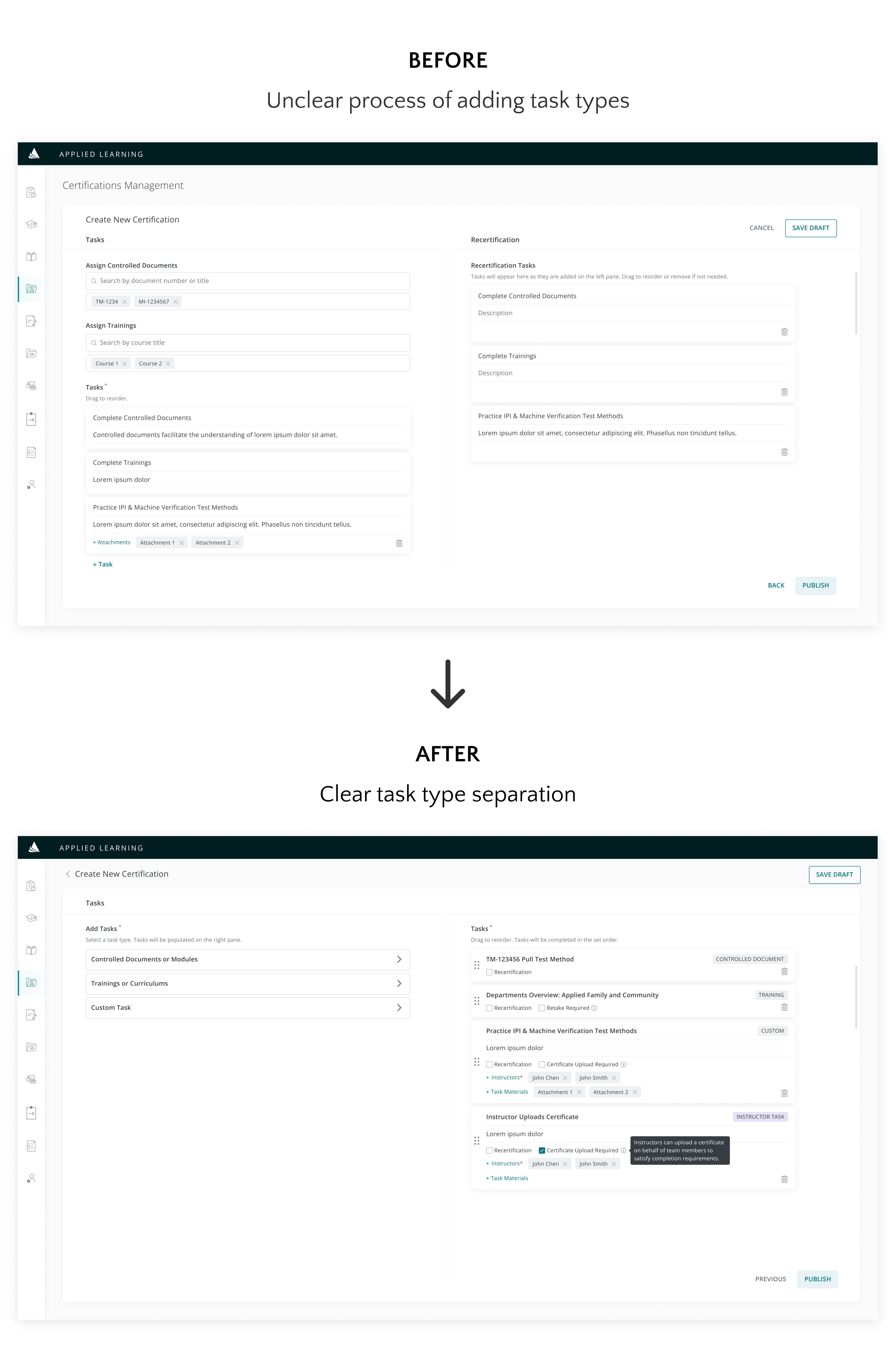
Certification Creation: Seamless task addition
Why?
Consistent call-to-action type selections provide a clear starting point for users to start adding tasks based on their selections.
Second.
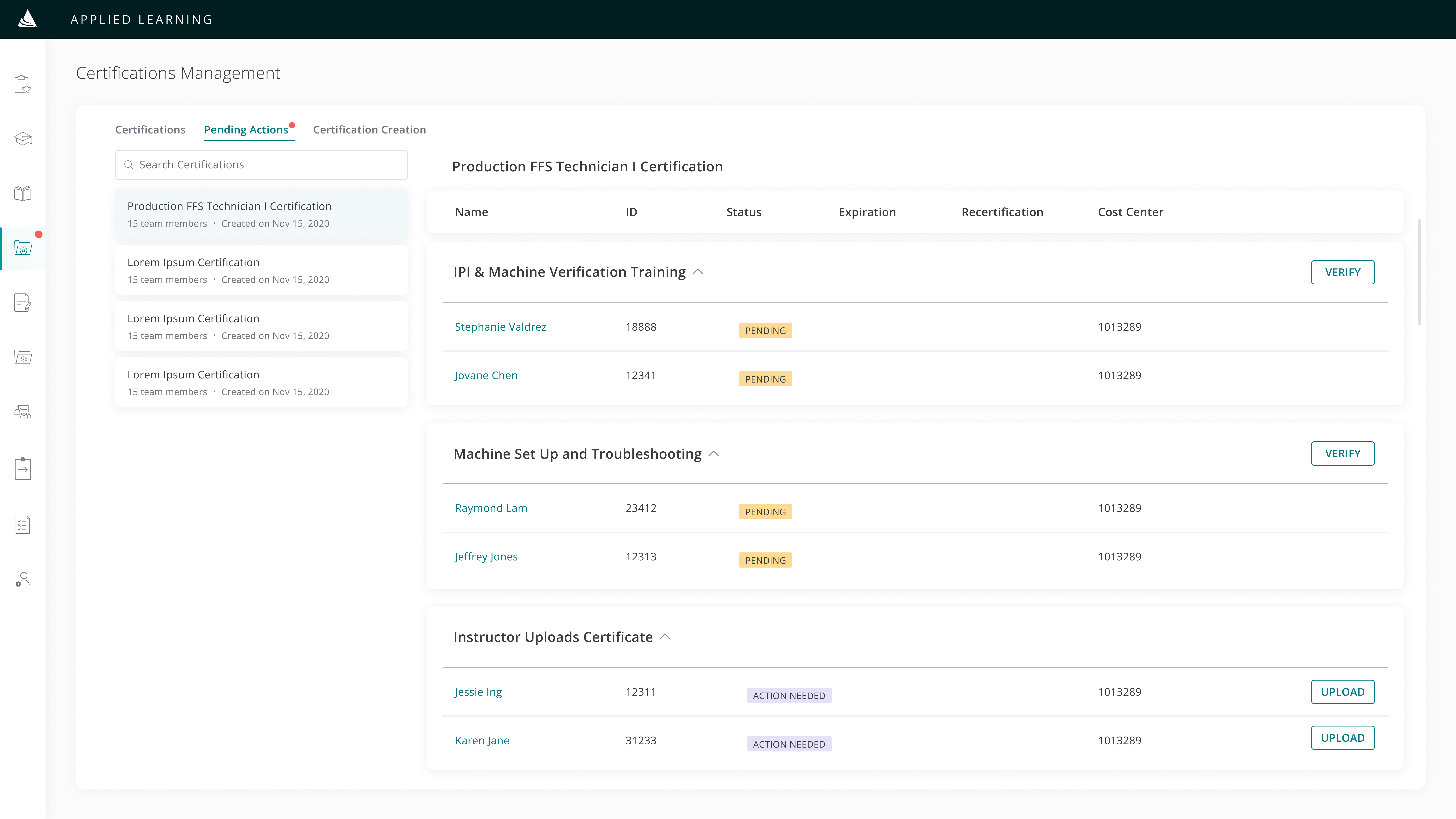
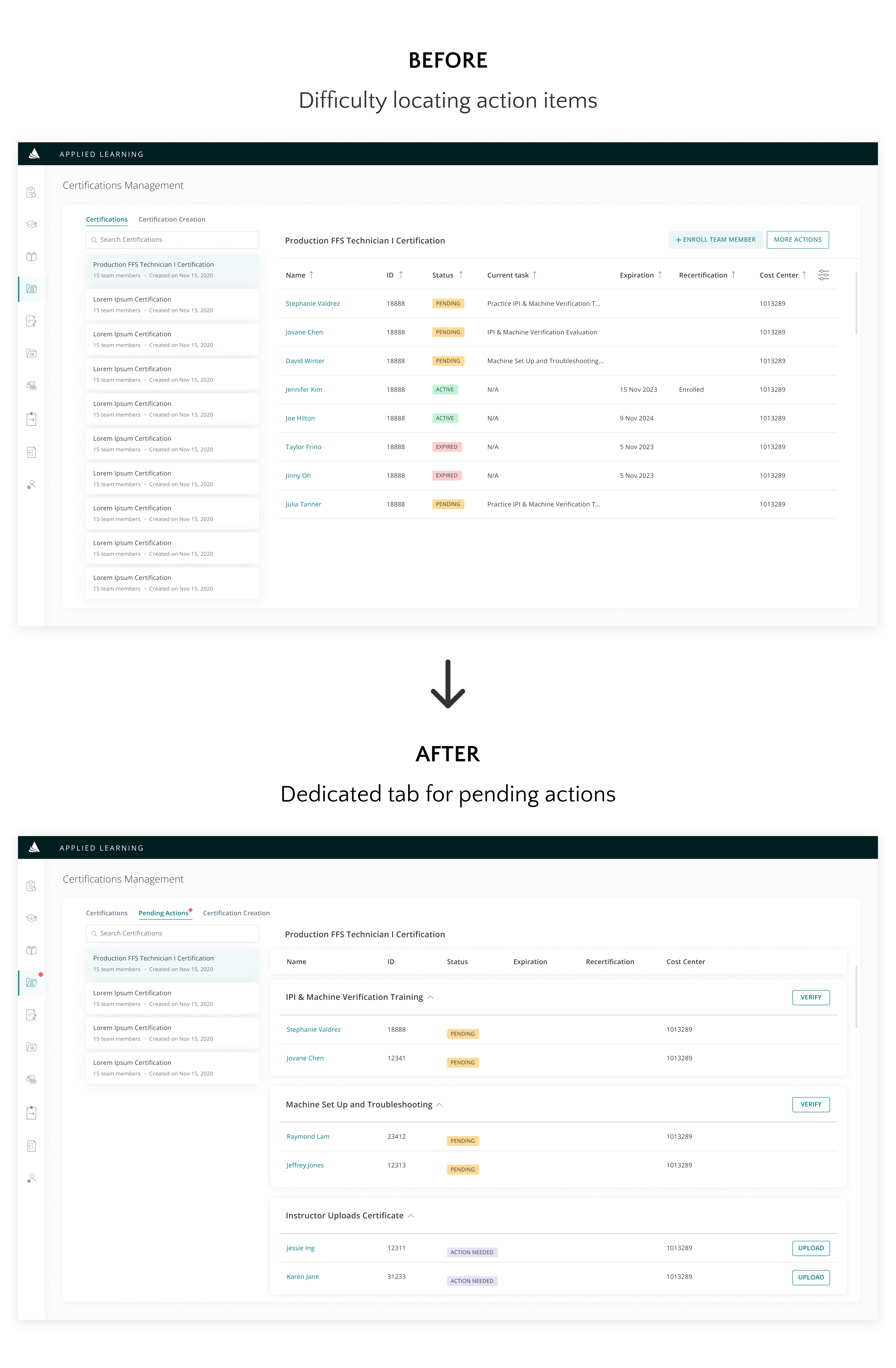
Task Verification: Group + individual levels
Why?
For instructors to verify completion of tasks, instead of searching for students that have “pending” statuses within a comprehensive list and verifying tasks individually, a “Pending Actions” tab enables one-step group verification.
Third.
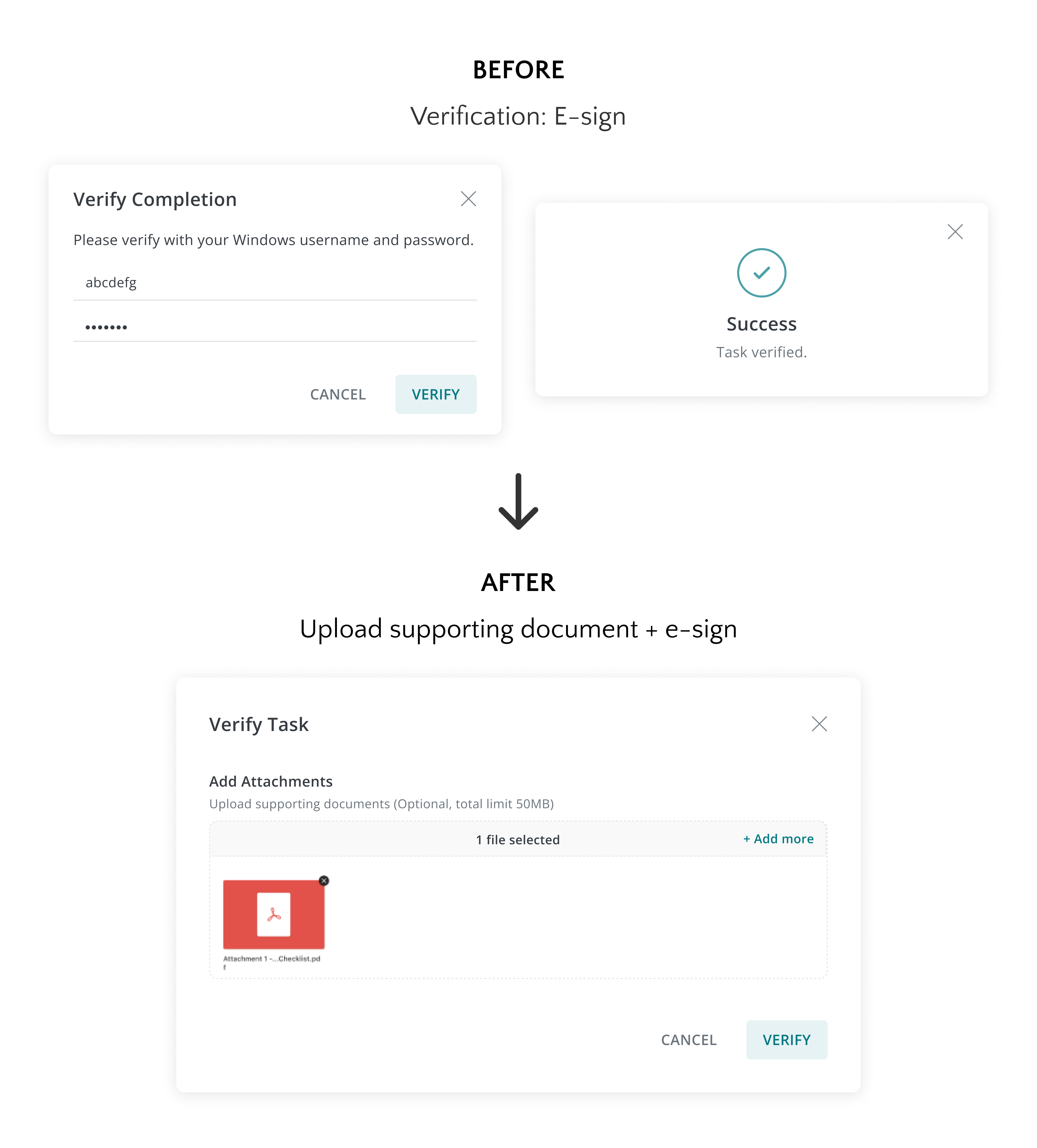
Document Upload: Attach supporting documents
Why?
Instructors can upload supporting documents in addition to e-signing as part of the task verification process. Providing these documents will allow convenient viewing of records for auditing purposes.
REFLECTIONS ON THE PROCESS
Learnings & what I’d do differently next time
1. Importance in gathering requirements
The discovery stage is a crucial part of the design process. Collaborating with stakeholders to narrow down and define specific requirements is essential before starting to put design ideas down on paper. Clear requirements act as a guide for designing new features and serve as a basis in deciding the most optimal user flow.
2. Working closely with front-end engineers
Constantly discussing my designs with developers helped in determining their feasibility and possibility of integration into the current code stack. Some nice-to-have features might not be possible for them to build within the timeframe that was given. Knowing this early on in the process gives me the time and leverage to reframe and reevaluate my initial designs.
3. Brainstorm multiple use cases
Depending on students’ progress, certificates fall under different statuses (active, in progress, expired, etc) — which are also impacted by their recertification progress. Incorporating each case into the design helps the team visualize all possible scenarios and provides a basis for them to evaluate necessary ways for data to be handled in the backend.
Thank you for reading!